Table of Contents
Your support inbox has a pattern. Look at the last 50 tickets and count how many are some version of "I can't log in" or "where's my order." For most subscription brands, those two questions make up the majority of inbound volume. Neither one should require a human.
A unified customer portal consolidates subscription management and order history behind one passwordless login, cutting support tickets dramatically by eliminating password resets and tab-switching.
This guide walks through what a unified portal actually means, why passwordless login is the single highest-leverage change you can make, and how to roll it out without breaking anything.
Your CS Team Is Toggling Between 4+ Systems (And Losing Money Every Time)
Picture a typical ticket. A subscriber emails asking why their order hasn't shipped. Your rep opens the helpdesk, then Shopify admin to check the order, then the subscription platform to check the upcoming charge, then maybe the loyalty app because the customer also asked about their points. Four systems for one question.
Every context switch costs recovery time. Multiply that across a full shift and your reps are losing real hours per day to tab-hopping instead of solving problems.
The volume problem compounds it. Brands running subscriptions alongside one-time orders generate far more tickets than one-time-only stores, because customers genuinely don't know where to go for what. And the bulk of those tickets cluster around two questions a portal should answer automatically: login access and order status.
That's the expensive part. You're paying trained humans to do what a login screen and an order history page should do for free.
The Real Problem: Subscriptions and One-Time Orders Live in Different Universes
Most subscription tools were bolted onto Shopify rather than built into it. The result is a split-brain customer experience. Shopify holds the order history. The subscription platform holds the recurring orders. The customer sees neither in one place.
It gets worse when a one-time buyer becomes a subscriber. Now they have a Shopify account and a subscription portal login, and they have no idea which one does what. Your CS team ends up explaining "your subscription login is different from your store account" dozens of times a week, which is a sentence no customer should ever have to hear.
When there's no single source of truth, customers stop trying to self-serve. They email you instead. Every confusing login screen is a future ticket.
What a Unified Portal Actually Means (And Why Most Brands Don't Have One)
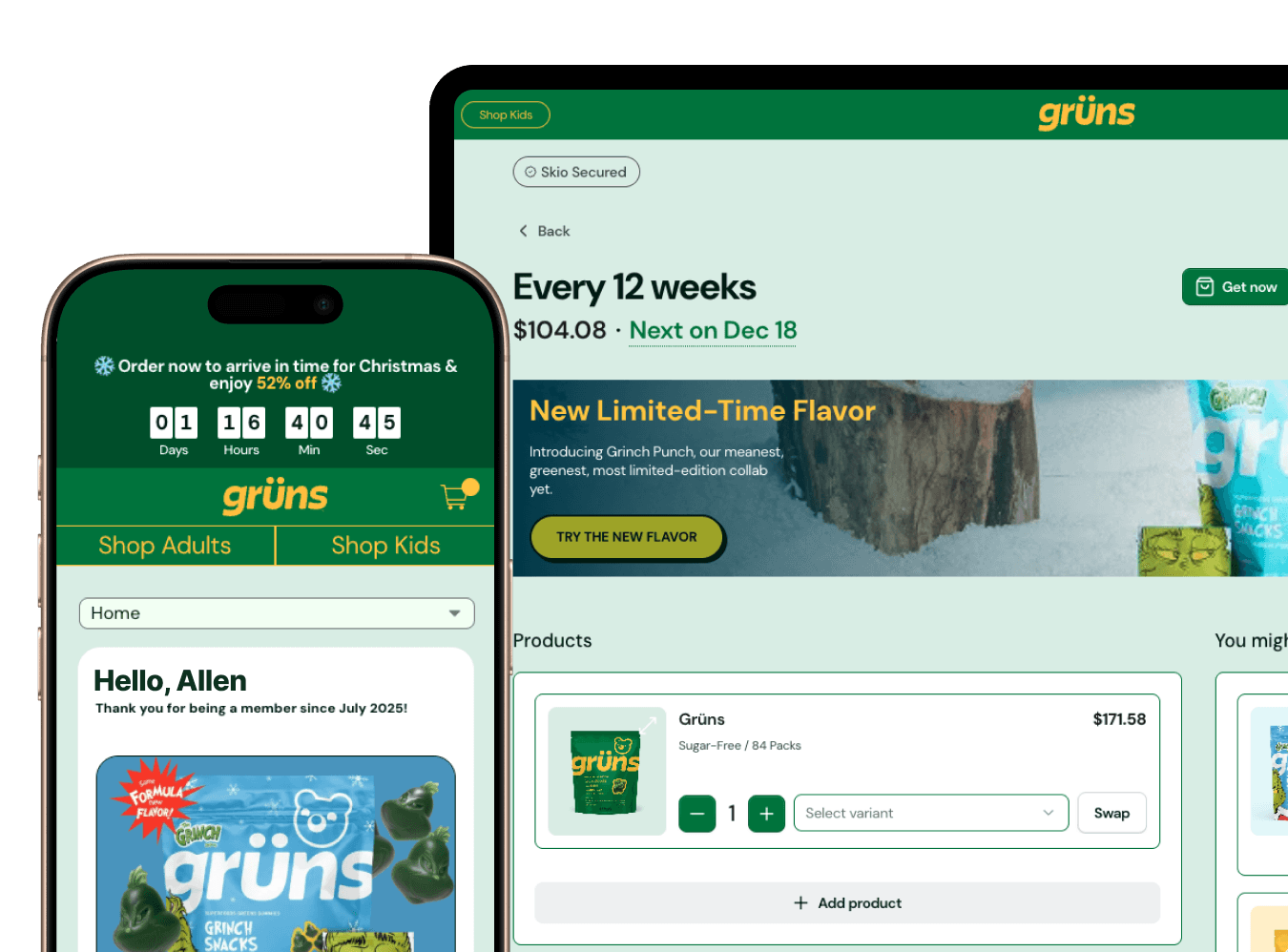
A unified portal puts everything a customer needs behind a single door:
One login for everything: subscriptions, full order history, loyalty credits, referral codes
Passwordless authentication, so "forgot password" tickets stop existing
Shopify-native architecture that pulls order data directly from Shopify rather than a separate synced database
Self-service actions: skip, swap, pause, cancel, update payment, change address, redeem credits
One-time purchases inside the portal, so subscribers can add products to their next order without starting a new cart
Most brands don't have this because legacy subscription tools were built before Shopify supported subscriptions natively. Those tools created their own customer databases, their own checkouts, and their own logins, and all of that became permanent plumbing. The portal fragmentation you're living with is technical debt wearing a customer-facing costume.
The 80% Solution: Passwordless Login Eliminates the #1 Support Ticket
The single most common reason subscribers contact support is that they can't log in. Think about how absurd that is. The customer wants to give you recurring revenue, and a password field is standing in the way.
Passwordless login removes the field entirely. The customer enters their email or phone number, gets a 4-digit code, and they're in. Nothing to remember, nothing to reset, nothing to email support about.
In Skio's experience across 1,000+ brands, passwordless login alone cuts support tickets 80%+ for most brands. Magic Mind saw support tickets drop sharply after switching, and Everyday Dose used it to put subscription management on autopilot and pull their team out of inbox triage.
Compare that to the legacy flow. Customer creates a password at checkout. Three weeks later the renewal email arrives, they click "manage subscription," the password is long gone, and now they're either filing a ticket or rage-cancelling. If your portal still asks customers to remember a password, you are manufacturing your own ticket volume.
What Customers See in a Unified Portal (The Self-Service Checklist)
Walk through your portal as a customer and check for each of these:
Active subscriptions: what's coming, when, and at what frequency
Full order history: every order, subscription or one-time, with tracking links
Payment methods: update a card or add a backup payment method without calling anyone
Shipping address: change it once, and it applies to all future orders
Loyalty balance: credits earned, tier status, referral code
Self-service actions: skip next order, pause, swap products, change frequency, cancel through a save flow
One-time upsells: add a product to the next subscription order in two taps, no new cart
Every box you can't check is a category of ticket you're still paying for. Skio's Customer Portal covers the full list, including one-time upsells inside the portal itself.
How Shopify-Native Architecture Makes This Possible (Without Duct Tape)
Shopify-native means built on Shopify's infrastructure instead of bolted beside it. The portal uses Shopify's customer account system, payment vault, and checkout directly. There's no separate customer database to sync, which means there's no sync to fail.
The practical payoff for CS is one source of truth. Order history in the portal pulls straight from Shopify, so what the customer sees matches what your rep sees in Shopify admin, every time. No more "the portal says one thing and Shopify says another" investigations, which are some of the most time-consuming tickets a team can catch.
It also future-proofs you. Skio works with Shopify's new customer accounts out of the box, so as Shopify evolves its account experience, your portal evolves with it instead of fighting it.
If You're Using Gorgias or Zendesk: How a Unified Portal Integrates
A unified portal doesn't replace your helpdesk. It shrinks the pile of tickets that reach it.
For the tickets that do come through, Skio's Gorgias integration surfaces subscription details, order history, and loyalty balance directly in the ticket sidebar, so reps can resolve subscription questions without leaving the conversation. Zendesk works the same way.
Treat the helpdesk integration as the seatbelt and the portal as the better driver. Helpful when something goes wrong, but the real win is the crash that never happens.
The Loyalty Problem: When Rewards Live in a Separate App
Plenty of brands run loyalty through a bolt-on app with its own login and its own portal. The customer manages their subscription in one place, then has to log in somewhere else to see their points. Most never bother. Friction kills redemption, and unredeemed rewards are loyalty budget you spent for nothing.
A unified portal puts the loyalty balance, tier status, and redemption options on the same screen as subscription management. One login, one experience. Customers actually see their credits accumulating, which is the whole psychological point of a loyalty program, and they redeem more because redemption is one tap away from where they already are.
When to Unify: Signs Your CS Team Needs This Yesterday
CS ticket volume is growing faster than your subscriber count
More than 30% of tickets are "I can't log in" or "where's my order"
You run subscriptions and one-time products, and customers are visibly confused about where to manage what
Reps are manually editing subscriptions because customers can't figure out the portal
You launched loyalty and redemption rates came in lower than expected
You keep hiring CS reps but resolution time isn't improving
If more than 30% of your tickets are login or order-status questions, a unified portal with passwordless login will cut your ticket volume roughly in half. That's the threshold where this stops being a nice-to-have and becomes the cheapest headcount decision you'll make all year.
What to Look for in a Unified Portal (The Operator's Checklist)
Passwordless login. This is the 80% win and it is not optional.
Shopify-native architecture, meaning Shopify checkout and payment vault, with no parallel database
Subscriptions and full order history in one view
Native loyalty (credits, tiers, referrals) inside the same portal
Self-service actions with cancel save flows built in
Mobile-first design, since the majority of portal traffic is on phones
Helpdesk integration for Gorgias or Zendesk
Customizable branding, so customers think it's your portal rather than a third-party tool
Implementation: How to Roll Out a Unified Portal Without Breaking Everything
Audit the current state. Map where customers go today for subscriptions, order history, loyalty, and password resets. Count tickets by category for a baseline.
Map the ideal state. Decide what lives in the unified portal and which self-service actions you'll enable on day one.
Configure the portal. Branding, self-service settings, loyalty integration, and login experience.
Test internally. Have your CS reps use the portal for a week before customers see it. They'll find the rough edges faster than any QA checklist.
Soft launch. Email a segment of power users, watch what they do, collect feedback.
Full launch. Update every email template, login link, and CS macro to point at the new portal. Stale links are how good rollouts die.
Monitor ticket volume. With passwordless login enabled, expect a meaningful drop within the first 30 days. Compare against your baseline from step 1.
The ROI: What Happens When You Cut Tickets in Half
Run the math for your own team. A CS rep costs roughly $40K a year and handles a steady stream of repetitive login and order-status tickets. Cut ticket volume in half and you defer your next CS hire by 6 to 12 months, which works out to $20K to $40K a year for a brand with 10,000+ subscribers.
The secondary effects are worth as much as the savings. CSAT rises because customers solve problems instantly instead of waiting on a queue. Churn drops because self-service removes the friction that turns small annoyances into cancellations. Loyalty redemption climbs because rewards are finally visible where customers already are.
Scaling subscriber count without scaling support headcount is the entire game. A unified portal is how you play it.
FAQ
What's the difference between a unified portal and a customer account?
A customer account, like Shopify's default, shows order history. A unified portal adds subscription management, loyalty balance, and self-service actions behind the same login.
Do I need to rebuild my customer portal from scratch?
No. A Shopify-native subscription platform integrates with your existing Shopify customer accounts. It's configuration, not a rebuild.
Will passwordless login work with my existing customer data?
Yes. Passwordless login uses the email or phone number already in your Shopify customer records. No data migration needed.
How do I integrate loyalty if I'm using a separate loyalty app?
Some portals can embed third-party loyalty data, but the cleaner option is native loyalty that lives in the same portal as subscriptions. One login, one balance, higher redemption.
What if customers already have passwords saved?
Passwordless login doesn't delete existing passwords. It adds a faster path, and most customers switch to it after one use.
How long does it take to see ticket volume drop?
Most brands see a 30-50% drop in ticket volume within 30 days of enabling passwordless login and self-service features.