Table of Contents
You already know which tickets are eating your day. "How do I skip my next order." "Can I swap my flavor." "Change my frequency." You've answered them a thousand times, and the answer is always the same: here's the link, log in, click here. What if the customer never had to ask?
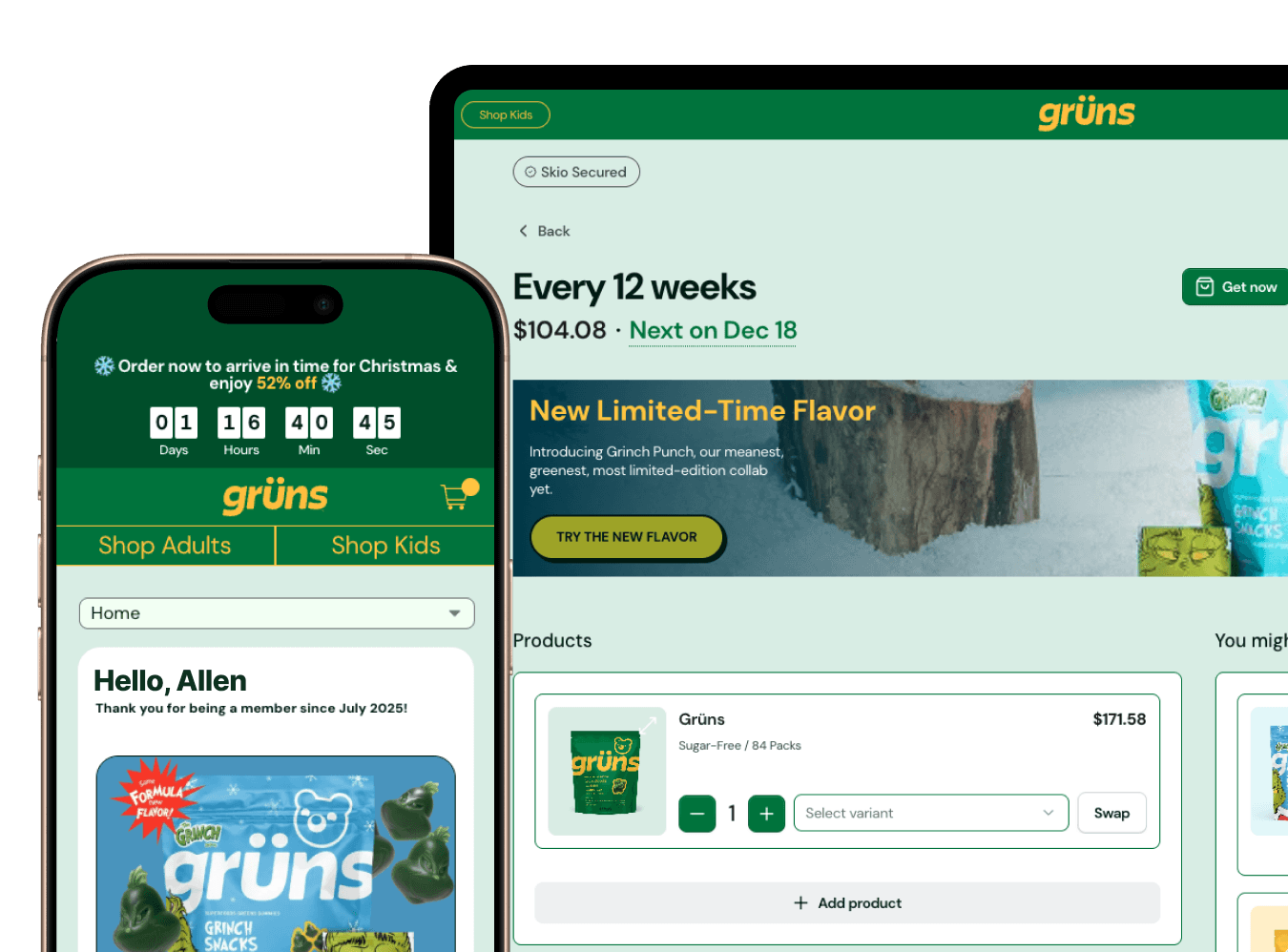
That's what Quick Actions do. They're secure, one-click links you embed in emails and SMS that let subscribers take a specific action without logging into anything. Skip the next order. Swap a product. Update a card. Change frequency. The customer taps once, it's done, and the ticket that would have landed in your queue never gets created. Brands that deploy them typically see skip and swap tickets drop 40 to 60 percent within 30 days.
What Quick Actions do, and what they don't
A Quick Action handles one specific job with one click. Here's the honest split of what they cover.
They handle skip next order, swap products, change frequency, add a one-time product, update payment method, and pause. The stuff that makes up the bulk of your ticket volume.
They don't replace the full portal for everything. Address changes carry fraud risk, cancellations route through your cancel flow for compliance, and managing multiple subscriptions at once still wants the portal. That's by design.
Underneath, these aren't magic buttons. Each link is authenticated, time-limited, and tied to one specific customer and one specific subscription. It expires after use or after a set window, so a forwarded email isn't a security hole.
The operator's setup checklist
Here's the order of operations that gets you live without breaking anything.
Pull your last 30 days of Gorgias or Zendesk data and identify your top five ticket types.
Map those ticket types to available Quick Actions. Start with skip and swap, which usually cover half your volume.
Generate the Quick Action links in your Skio dashboard.
Build them into your Klaviyo flows as buttons.
Set up tracking. Create custom Klaviyo metrics for clicks so you can measure actions taken against tickets submitted.
Test with your own subscription before a single customer sees it.
Add Quick Actions to your existing transactional emails first. Order confirmations and shipping notifications have 40 to 60 percent open rates, so that's where the engagement lives.
The Quick Actions getting-started guide walks through link generation, and you'll want the Klaviyo integration configured first since the flows depend on it.
Which emails get Quick Actions first
Priority matters here. Put your effort where the clicks are.
Upcoming order notifications, sent 3 to 5 days before the charge. Highest engagement, 15 to 25 percent click rate. This is the big one.
Payment failure emails. Drop an "Update Payment Method" action into the dunning sequence and recover revenue that was about to churn involuntarily.
Order confirmation emails. Add "Skip Next Order" for customers who just got their box and realize they're stocked up.
Post-purchase flows for one-time buyers. A "Convert to Subscription" action turns a single purchase into recurring revenue.
One thing to avoid. Don't bolt Quick Actions onto promotional campaigns. They dilute the transactional trust that makes the links work in the first place.
Copy that gets clicks
The button text matters more than you'd think. "Skip My Next Order" beats "Manage Subscription" by roughly 3x, because it tells the customer exactly what happens when they tap. Be specific. "Swap to [Product Name]" beats "Change Product." Add a little urgency without being a pest, like "Your order ships in 3 days, need to skip?" Keep it to two or three actions per email so you don't trigger decision paralysis, and always leave a fallback link to the full portal for anyone who wants to do something else.
SMS Quick Actions: use with discipline
SMS works beautifully for time-sensitive, binary decisions. Payment failures and last-chance skips within 24 hours of a charge are perfect. SMS open rates sit around 98 percent, and the format rewards brevity, so "Order ships tomorrow. Skip? [link]" outperforms a paragraph.
Keep SMS for simple yes-or-no actions. Don't try to run a multi-option product swap over text. And only send to customers who've opted into SMS. A smart pattern is the combo: send the email version first, then fire an SMS Quick Action 24 hours before the charge to anyone who didn't click. The SkioSMS docs cover setup.
Proving it worked
This is how you show ROI to whoever signs off on your tools.
Set a baseline first. Measure support tickets by category for two weeks before you deploy. Then track Quick Action clicks in Klaviyo and tag tickets by type in Gorgias so you can watch the reduction. The math is blunt and convincing. If you're paying $3 to $5 per ticket and Quick Actions deflect even a few hundred a month, they pay for themselves immediately. Report it as tickets avoided, hours saved, and dollars reclaimed.
When Quick Actions don't move the needle
If you deploy and tickets don't drop, it's almost always one of these. The buttons are buried below the fold, so move them above the product images. The copy is vague, so test "Skip Next Order" against "Manage Subscription." Customers don't trust the link, so add microcopy that says "One click, no login required." The actions are in the wrong emails, so check your flow triggers. Or the links expire too fast, so stretch the window to 7 days for skip actions. If your Klaviyo click rate is under 10 percent, it's a placement or copy problem, not a customer problem. The Quick Actions testing guide helps you diagnose it.