
Table of Contents
Your support team is drowning, and most of what's pulling them under is the same handful of requests over and over. Skip my next order. Swap my flavor. Update my card. Change my address. When's my next charge. None of these need a human. Every one of them is landing in your inbox anyway.
Here's the math that should bother you. The average subscription brand handles 15 to 25 support tickets per 100 active subscribers every month, and roughly 80 percent of those are simple requests the customer could have handled in 30 seconds. At $5 to $15 per ticket in support labor, a brand with 2,000 subscribers is burning thousands of dollars a month answering questions a well-built portal would have absorbed silently.
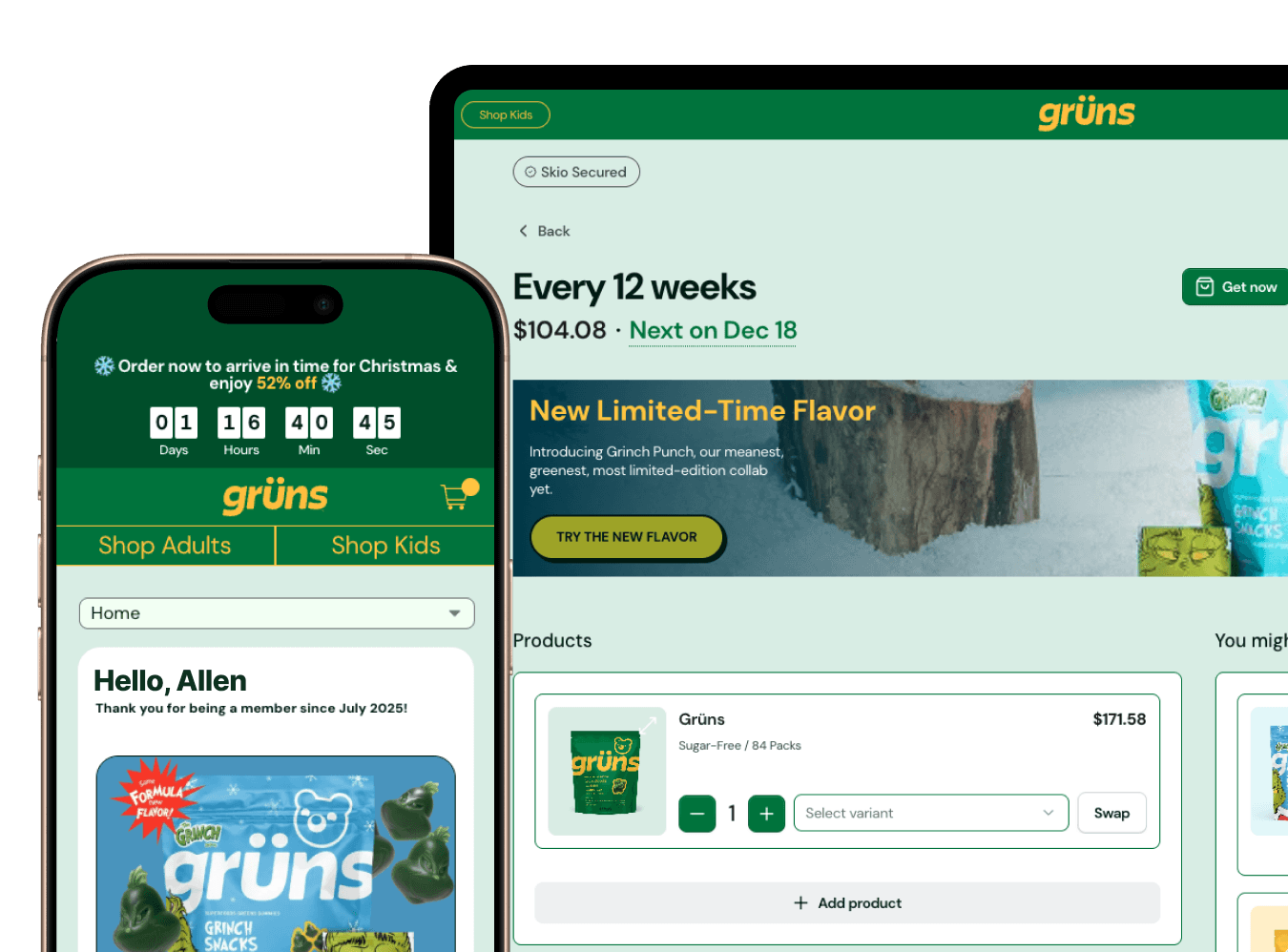
A customer portal is the self-service hub where subscribers manage their recurring orders. Skip a delivery, reschedule, swap a product, update payment and shipping, cancel if they really want to. The good ones absorb most of the repetitive work hitting your support queue. They don't fix everything. Product questions, shipping mishaps, and account-level weirdness still need a human. What they kill is the soul-crushing, copy-paste portion of your team's day.
The 5 portal features that actually reduce tickets
Not every portal feature earns its place. These five do the heavy lifting.
One-click skip. Not "pause until a date you have to pick from a calendar." One click, next order skipped, done. This single feature wipes out the most common ticket type subscription brands see.
Product swap inside the subscription. Let customers change their flavor or SKU without canceling and resubscribing. Every time a swap forces a cancel-and-rebuild, you get a ticket, and sometimes you get a churned customer who gave up halfway.
Self-service payment updates. Expired cards are involuntary churn waiting to happen. When customers can update their own card in the portal, the whole "your payment failed, please reply with your new number" email thread disappears.
Address changes without support. Moving shouldn't require a support ticket. Let them edit it themselves and the shipping-update queue empties out.
Clear next-order visibility. Show the next charge date and what's in the order, prominently. "When am I being charged?" stops being a question your team answers and starts being something customers just see.
Why most portals fail anyway
Plenty of brands have a portal and still get buried. The portal exists, but it may as well not. Here's where it goes wrong.
Customers can't find it. It's buried in the footer, never linked in the emails customers actually open. Discovery is half the battle and most brands lose it.
Login is miserable. Password resets are where self-service goes to die. A customer who has to reset a password to skip an order will email you instead, every single time. Skio solves this with passwordless login. Customers get a 4-digit code by SMS or email and they're in. No password to forget, no reset loop. This one change is the single biggest driver of portal adoption we see. SIMULATE, the plant-based brand behind NUGGS, wiped out login-related tickets this way after switching to Skio, with passwordless 4-digit codes replacing the password-reset loop entirely.
The actions take too many clicks. If skipping an order takes a customer through five screens, they'll give up and email support, because emailing support is faster. When your portal loses a footrace to your own inbox, the portal loses.
Mobile is broken. More than half of subscribers manage their subscription on a phone. If skip, swap, and payment updates don't work cleanly on mobile, you've built a portal for a device your customers aren't using.
How to actually get customers using it
Turning a portal on isn't the same as getting people to use it. Adoption is a job, and here's how you do it.
Link the portal in every notification email. Upcoming order, payment issue, shipping confirmation, all of them. Use passwordless login so the link drops them straight in. Show the portal during checkout so customers know where they'll be managing things before they ever need to. Train your support team to send a portal link instead of manually fixing the request, which teaches the customer to self-serve next time. Then track portal login rate as a real KPI and aim for 60 percent or more of subscribers logging in each month.
The operator's configuration checklist
If you're setting this up in Skio, here's what to switch on:
Enable one-click skip, not just pause
Allow product swaps within the same subscription
Turn on self-service payment method updates
Enable address editing without admin approval
Surface the next charge date prominently
Test the entire flow on mobile before you launch
Set up analytics so you can see which features customers actually use
Write an internal SOP for when support should send a portal link versus fixing it by hand
You can configure all of this in your Customer Portal experience settings, and the Customer Portal v3 overview walks through the full setup. For login, the magic login links guide is the place to start, and you'll want notification settings configured so the portal link lands in every email.
What success actually looks like
Track these and you'll know if it's working:
Support tickets per 100 active subscribers, measured monthly. This is your north star.
Portal login rate. What percentage logged in over the last 30 days. Aim for 60 percent plus.
Action completion rate. Of the sessions that start, how many finish the task.
Ticket deflection rate. How many potential tickets self-service absorbed.
To see why this moves the needle, walk through the math on a single brand. Say you're running roughly 22 tickets per 100 subscribers a month. Enable one-click skip, link the portal in every email, and turn on passwordless login, and the repetitive skip, swap, and login tickets are exactly the ones self-service absorbs. Trim those and the per-100 number drops meaningfully, which on a 2,000-subscriber base is hours of support capacity handed back every month. Your actual mileage depends on your ticket mix and how aggressively you drive adoption, so measure your own baseline first and track the trend.
When self-service isn't enough
A portal handles the large majority of routine requests. The rest still needs a human, and that's fine. Product recommendations, account problems, shipping disasters. Make the "contact us" option easy to find inside the portal so the customer who genuinely needs help isn't trapped clicking around. And use your ticket data as a map. If the same question shows up over and over, that's a self-service feature you haven't built yet. The goal was never zero tickets. It's zero repetitive ones.